Showing posts with label Iphone 6. Show all posts

iPhone 5 imitator 'hiPhone 5' emerges in China

Diposkan oleh Unknown on Wednesday, August 10, 2011

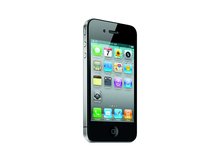
A fake iPhone 5, based on leaked images of the next-generation iPhone and called the hiPhone 5, has been spotted for sale in China.


Reuters reports that the items are for sale on e-commerce platform Taobao for as little at 200 yuan (around £19 or $31).

However, the quality of the hiPhone 5s varies, and to get a top-of-the-range fake you'll need to part with 800 yuan (£76) or more. According to the Shanghai-based daily newspaper Metro Express the hiPhone 5 is thinner than the iPhone 4 with less rounded edges.

It's based on images that have supposedly leaked from supply chain sources and is said to be extremely lightweight, feeling almost like a plastic toy, the reports state.

Fake Apple products are hardly new in the far east, though more recently entirely fake Apple Stores have been springing up, as Macworld reported last month.

Meanwhile, more iPhone 5 fakery has been exposed this week when a video purporting to show the next-generation iPhone was found to be a hoax.
More aboutiPhone 5 imitator 'hiPhone 5' emerges in China

Install Cracked Apps On iPhone & iPad Without Jailbreak Possible Now

Diposkan oleh Unknown on Tuesday, July 5, 2011

Ever wondered of installing and running cracked apps on your iPhone, iPod Touch, iPad , and iPad 2 without Jailbreaking your iDevice ? Well now you can do that. Devs over iModZone have developed a new application “iReSign” which can install cracked .ipa bundles into your iPhone, iPod Touch and iPad without needing jailbreak.

Working of this application is much simpler than IPA GOD. What iReSign basically do is it signs or resigns .ipa files with Apple’s digital certificate to run them on your iDevice. iReSign works for both iOS 4 and iOS 5 which is still in beta phase.
You’d be needing Mac OS X 10.6 or above, iReSign which you can download from via iMZDL, most importantly Apple’s Provisioning Profile and digital certificate with a registered UDID device. UDID is basically your iDevice’s unique identification number, you can view it in iTunes by double clicking your serial number, if you’re an iOS developer you can register your device’s UDID from iOS developers portal and if you’re not a Registered Apple iOS Developer you can get your device registered with Apple’s Provisioning Profile and digital certificate from here for $15.

Download your desired application’s cracked .ipa files from web and save them preferably on Desktop. Run iReSign and browse downloaded cracked .ipa file which you want to sign or resign. In the second field you’ll put Keychain Access for certificate For Example: iPhone Developer: Mike Fletcher (I7U4261P80). Click “Resign” button, now the app will start signing or resigning your .ipa file. After the completion of process your .ips file would be ready, simply drag and drop it in iTunes and sync your device with iTunes, if everything goes well you’ll have your App on your iDevice’s homescreen.

Here’s a video of this whole process for your better understanding:


Tags: ke bep, tu bep, noi that phong ngu, noi that phong khach
More aboutInstall Cracked Apps On iPhone & iPad Without Jailbreak Possible Now

How to upgrade iphone to iOS 5

Diposkan oleh Unknown on Wednesday, June 8, 2011


More aboutHow to upgrade iphone to iOS 5

Firefox 5 Beta 2 Lands, Opera Mini 6 Released for iPhone, iPad

Diposkan oleh Unknown on Wednesday, May 25, 2011

There's major browser releases both on the mobile and on the personal computer front

These days the Mozilla Foundation is feeling the heat. Microsoft Corp. (MSFT) has delivered a surprisingly sporty and compatible Internet Explorer 9. And Google Inc.'s (GOOG) Chrome browser is becoming the first new browser in some time to gobble up a significant market share.

I. Firefox 5 Blazes Ahead on Schedule

But nothing lays concerns to rest better than adopting an aggressive schedule and sticking to it. That's exactly what Mozilla did, with the release of Firefox 5's second beta.

Delivered right on schedule, the new build features speed improvements and a number of new features, including:

* Added support for CSS animations
* Added support for switching Firefox development channels
* The Do-Not-Track header preference has been moved to increase discoverability
* Improved canvas, JavaScript, memory, and networking performance
* Improved standards support for HTML5, XHR, MathML, SMIL, and canvas
* Improved spell checking for some locales
* Improved desktop environment integration for Linux users

The inclusion of CSS animations support was particularly important, as the Webkit source (which Chrome and Apple, Inc.'s (AAPL) Safari browser are based on) already supports it. Mozilla and its collaborators also made some tweaks to the GUI art, which they say are subtle, but will be noticed if you return to FF4.

Aside from new functionality and speed-ups, the beta also resolves many stability issues and other bugs that cropped up in Firefox 4. A full log of these changes is found here. Full release notes can be found here. And last, but not least, the download can be found here.

Firefox 5 is scheduled to release June 21 -- less than a month from now. It will contend with Internet Explorer 10, which is currently being previewed, and Chrome 12, which is currently being beta tested.

II. Opera Mini 6 Hits the iPad, iPhone
Yesterday also saw the release of Opera Mini 6 for the iPad and iPhone. The first major release for the iOS platform since its launch title -- Opera Mini 5 -- Norwegian software company Opera Software ASA (OPERA) is hoping to replicate its previous success. Opera saw 1 million downloads of Mini 5 for the iPhone/iPad in a mere 24 hours after its release.

Available on the iTunes store now for free, the new browser features:

* Much faster and smoother panning and zooming
* Share buttons which are compatible with My Opera, Facebook, Twitter or vKontakte
* A new" jazzed-up" skin
* Redesigned Opera menus

It also reportedly gives the browser a healthy injection of speed.

Opera’s, CEO Lars Boilesen compared the release to a rock concert, stating, "I would compare it to walking onto the stage and hearing the roar of the crowd. We have put in a lot of rehearsal and clever thought behind the new experience. The Opera Mini browser has always kicked up the tempo when downloading pages; now the browsing flows along to a smooth, easy beat."

While Opera is seeing a bit more competition these days -- namely from the Firefox Mobile browser for Android -- it's still makes the most used mobile browsing pair in the world, Opera Mini and Opera Mobile. These mobile browsers are unique in that they leverage heavy server-side compression, something the competition still hasn't embraced. The net effect for users is that in areas with poor signal or low data speeds pages load much faster in Opera Mini/Mobile than in their competitors.
More aboutFirefox 5 Beta 2 Lands, Opera Mini 6 Released for iPhone, iPad

Jailbreak App Stops iPhone Track-Tracking in its Tracks

Diposkan oleh Unknown on Sunday, April 24, 2011

Blogs were outraged Wednesday following the rediscovery that 3G-enabled iOS devices like the iPhone store a record of users’ GPS positions in a local file. Of course every person with an iPhone, iPad or iPod touch agreed to let Apple store and use this information, but it’s much more fun to get outraged than it is to read terms and conditions.

No matter — for those who don’t want their iPhones to remember that they were pillaging a Dunkin’ Donuts instead of working out at the gym, there is now a simple answer: untrackerd.

Jailbroken iDevice owners can now install a simple utility that will stop their devices from storing this information.

The app is free and is available in the BigBoss repository, but the app might just be a temporary solution — according to Daring Fireball’s John Gruber, the file that stores location history is actually a cache file that should be cleared out occasionally but isn’t due to a bug or an oversight.

Gruber thinks the bug will be fixed in the next iOS update, though no timeline is available at the moment.
More aboutJailbreak App Stops iPhone Track-Tracking in its Tracks

Tools wipe location data from (some) iPhones

Diposkan oleh Unknown

Want to wipe location-tracking data that's being stored on your iPhone without your permission? There's an app for that, but you've got to jailbreak your iPhone first.

Several tools have cropped up as a fix for people riled up about the fact that iPhones (and iPads) are surreptitiously logging unencrypted location-related data on the device, including cell tower coordinates, time stamps, cell operator and Wi-Fi networks used, and longitude and latitude from GPS signals--basically a when-and-where of your phone's location going back at least a year.

Police have known about and been using this information, and cellular operators have access to it and can provide it when served with a court order. But anyone with physical access to the phone (and access to a desktop backup of the data) is now able to see an iPhone owner's whereabouts over time.

The fact that consumers don't realize that their phones are recording and storing this information in clear text has come as a big surprise to many people, including consumer advocates who say it's a big privacy violation.

You can hide the data that may be on your desktop by encrypting your iTunes backups. And you can turn off GPS to stop the logging of at least that information, but that doesn't clean up any data stored on the device, and it will severely limit use of the device for location-based services like mapping. There is no way to disable the tracking, because it's baked into the operating system.

The only option at this point is to use one of the programs written specifically to delete the data. But, as unapproved iPhone apps that reach into the iOS functions, they're not available through Apple's official App Store. They're unsanctioned apps that run only on iPhones that have been jailbroken--devices in which the operating system has been unlocked so owners can run any application they want.

Canadian programmer Ryan Petrich released a tool Wednesday called Untrackerd, which deletes the location-tracking information from the device. The app runs on iOS 4.0 and higher and installs a so-called "daemon" program that runs in the background, continuously cleaning up the data in the "consolidated.db" file where it is stored. "No new icons are added to your homescreen," according to the description on TheBigBoss.org. "There are no options to configure."

Untrackerd, which also is available from the Cydia third-party app store, deletes any data more than 30 minutes old from the consolidated.db file, checking every 5 minutes (except when the phone is in sleep mode) for changes to the file. The most recent data is left intact so the device can still pinpoint the phone's location for driving directions, for example, Petrich told CNET today.

The app does not zero out the deleted data multiple times, as is necessary to prevent bit-level analysis during forensics from unearthing data written to permanent storage. Meanwhile, whatever Untrackerd deletes on the device gets mirrored when the desktop sync is performed, he said.

"I did not make any attempt to make sure it is completely wiped from the disk or [to] wipe any other private data," said Petrich, an Edmonton-based software programmer for mobile ad company Medialets. "I try to maintain the functionality of consolidated.db...[which is used] to improve the performance of location services."

Asked why he wrote the tool, Petrich said: "I created it because I wasn't 100 percent comfortable with the entire history of my location being stored on a device that is very easy to lose."

Another tool, Location Blocker, goes further and wipes all historical data from the consolidated.db file and also blocks the device from storing any further cell and Wi-Fi location data. Step-by-step instructions for installing it are here.

Petrich said he didn't know of any other tools that would help iPhone users get rid of this data. He also said he didn't know why Apple was logging the data but said he doubts it is for malicious purposes because "it's not being transported anywhere."
More aboutTools wipe location data from (some) iPhones

Apple iPad 3 are producing super-light ?

Diposkan oleh Unknown on Tuesday, April 12, 2011

Apple seems to recruit experts on carbon fiber fame will open the way for a new page on its way to the world of technology. Most likely Apple will soon begin using ultra-light materials to produce for their handsets.

Follow 9to5Mac forecast page, a new generation MacBook will use ultra-light carbon fiber because recently, Apple has designed recruitment of carbon fiber - Kevin Kenny - into the board. His reputation Kenny severe enough to believe that Apple's technology will use ultra-light materials for the devices in the future - iPad, iPhone, MacBook.

Mr. Kenny moved on Apple in the position of a "composite Senior Engineer. " He has a history of 14 years in charge as president and CEO of the company Kestral Bicycles - which has made outstanding achievements in carbon fiber.

Material that Apple has long been selected from aluminum, stainless steel and glass to produce for his device, from Mac, iPhone, iPod.
The first rumors about Apple is hoping plans to produce carbon fiber appearance since 2008. At that time information for production or Apple MacBook Air laptop using carbon fiber instead of aluminum. And, to return in February last there are many news items that iPad 2 will be made ​​from carbon fiber. However, these rumors may have come true.
Despite all the information has leaked on the basis of the ear. In 2009, Apple filed for patents on carbon fiber casing.
More aboutApple iPad 3 are producing super-light ?

Untethered iOS 4.3.1 jailbreak tools released

Diposkan oleh Unknown on Monday, April 4, 2011

The famous iOS hacking team - iPhone Dev Team has released an 'untethered' iOS 4.3.1 jailbreak for the running iPhone, iPod touch and iPad. Untethered jailbreak means you don't have to plug your iOS device to a Mac or PC whenever you wish to reboot it. However, the new PwnageTool 4.3 for Mac and redsn0w 0.9.6 RC9 for Windows and Mac don't support iPad 2 as of now. The iPhone Dev Team's new tools will work on Mac and Windows systems. Do note that this untethered iOS 4.3.1 jailbreak doesn't enable carrier unlock for latest baseband via Ultrasn0w tool from.

New untethered iOS 4.3.1 jailbreak tools - PwnageTool and redsn0w, don't support or enable possibility of carrier unlock for using any SIM card with iPhone 3GS or iPhone 4. So those who rely on the ultrasn0w unlock need to wait for more weeks else their iPhones would turn into iPod touch - without carrier support. Wait till the new ultrasn0w unlock is released.

The PwnageTool 4.3 and redsn0w 0.9.6 rc9 support following devices:
- iPhone 3GS
- iPhone 4 (GSM Only)
- iPod touch third generation
- iPod touch fourth generation
- iPad
- Apple TV Second Generation only via PwnageTool 4.3

No support for the freshly launched iPad 2 tablet since it requires a boot level exploit and doesn't work with known holes discovered. The credit of discovering untethered exploit in iOS 4.3.1 goes to independent iPhone Security Researcher named Stefan Esser also know as @i0n1c on Twitter social network.

Just in case you get a non-functional Cydia 1.1 icon after jailbreak, then you'll have to start all over again. Do note that jailbreaking your device voids your warranty.
More aboutUntethered iOS 4.3.1 jailbreak tools released

Released New Software to Unlock and Jailbreak iPhone 4/3G/3GS OS 4.3.1/4.2.1

Diposkan oleh Unknown

April 2, 2011 12:11 pm – A fresh iPhone unlock software from Easy Unlock iPhone, has been introduced to enable users to explore the capabilities of the Apple iPhone’s customisation and application capabilities. This leading iPhone unlock specialist can "unlock and jailbreak iPhone 4.1, 4.2, 4.2.3, 3G 3Gs and iPhone 4 4.3.1".

To Unlock your iPhone 3G or 3Gs or 4 4.2 and 4.3.1 Visit: www.easyunlockiphone.net

Although jailbreaking and unlocking both provide added benefits to an iPhone 4.2 and 4.3.1, jailbreaking a mobile phone is different from unlocking. Jailbreaking is generally risk-free, as it only adds features to a mobile phone that is otherwise fixed on the exclusive functionalities that its manufacturer provides. With an unlocked and jailbroken iPhone, users can explore of what their iPhone can offer. For these reasons, unlocking and jailbreaking iPhones have evolved to be a trend among iPhone owners.

Easy Unlock iPhone launched its very first iPhone OS 4.2 and 4.3.1 unlock software in July 2007. Since this date their software has been downloaded by over one million customers located in over 145 countries, making this company the most experienced and accomplished iPhone unlocking services in the industry.

Through their website, iPhone owners can be assured of safely unlocking their handset. With their iPhone unlocked and jailbroken, users will reap benefits of zero loss of features and functionality; free GPS Navigation application; zero roaming charges for overseas calls; enabled video chat on 3G and 3Gs iPhones; as well as having the Cydia application installed.

"I had lots of questions regarding the validity of this software, and they were all answered in minutes. After downloading the software, it was a painless two-minute process. I thoroughly recommend this," Martin McG of the United Kingdom says of the Easy Unlock iPhone freshest iPhone unlock software.

For More Information On How To Unlock Your iPhone visit: www.easyunlockiphone.net

This breakthrough software offered by Easy Unlock iPhone can be used on any GSM card, and features worldwide compatibility with the latest baseband. Upon unlocking their iPhone, users will be able to use any network provider of their choice from any location in the world.

As a bonus, customers of the Easy Unlock iPhone software means receiving access to free lifetime updates and support. Easy Unlock iPhone guarantees that an absolute illiterate can use its revolutionary Easy Unlock iPhone software with utmost ease, in as little as two minutes.
More aboutReleased New Software to Unlock and Jailbreak iPhone 4/3G/3GS OS 4.3.1/4.2.1

Redsn0w 4.3.1 Jailbreak For iPhone iPad & iTouch To Be Released

Diposkan oleh Unknown

Here is a great news. The wait is almost over. iPhone Dev Team is going to release untethered iOS 4.3.1 jailbreak for iPhone iPad, iPod Touch and Apple TV 2G. PwnageTool 4.3 and Redhsn0w 0.9.8 for Windows and Mac will be available for download TODAY. Right now they are just teasing its arrival. We will update you as soon as they release it.

It will be compatible with the devices that include iPhone 4, iPhone 3GS, iPod Touch 3G, iPod Touch 4G, iPad 1 and Apple TV 2G.
More aboutRedsn0w 4.3.1 Jailbreak For iPhone iPad & iTouch To Be Released

Man Hijacks Time Square Billboards With iPhone [Hacks]

Diposkan oleh Unknown on Tuesday, March 15, 2011

Just like CBS I don’t know if this is real or fake. However, it is interesting and intriguing. The video shows a man who uses his iPhone, a video transmitter, and a repeater to hijack video billboards in Times Square. In a sense it looks like he’s hacked the video feeds going to these video billboards displayed in Times Square.

He starts off with small video billboards at ground level and eventually works his way up to a giant CNN billboard high above the middle of Times Square.

Real or fake? Tell us what you think by leaving a comment.

More aboutMan Hijacks Time Square Billboards With iPhone [Hacks]

How To Unlock iPhone 4/3Gs/3G 4.0.1/4.0 & Jailbreak iPod Touch 4th/3rd/2nd Gen iPad With Jailbreakme

Diposkan oleh Unknown on Monday, March 14, 2011

This Video Will Show You How To Jailbreak And Unlock Your iPhone 4 3Gs or 3G Also Jailbreak Your iPod Touch Or iPad Any Generation Or Firmware. Works On Firmware 4.0.1, 4.0, 3.1.3 Unlocks Baseband’s 5.12.01, 5.11.07, 5.13.04, 1.59.00, 1. Restore To Newest Firmware 2. Go Here On Your Device – jailbreakme.com 3. Slide To Jailbreak 4. Open Cydia And Install Ultrasn0w To Unlock

More aboutHow To Unlock iPhone 4/3Gs/3G 4.0.1/4.0 & Jailbreak iPod Touch 4th/3rd/2nd Gen iPad With Jailbreakme

How To: Jailbreak iOS 4.2.1 in 5 Minutes [with redsn0w]

Diposkan oleh Unknown

So here’s another post of our famous 5 minutes series to help you Jailbreak you iPhone 4, iPhone 3G, iPhone 3GS, iPad or iPod Touch on iOS 4.2.1 in just 5 minutes.

Warnings:
1. If you have a carrier subsidized iPhone, then don’t upgrade to iOS 4.2.1 for now as an unlock is not yet available.
2. This is a tethered jailbreak which means you’d need a computer with redsn0w to boot into the jailbreak state every time you start your device.

5 Minute Guide to Jailbreak iOS 4.2.1:


Let’s start now!

1. Download iOS 4.2.1 for your iPhone, iPad or iPod Touch.
2. Download the latest version of redsn0w from iPhone dev team blog. Look for ‘Mirrors’ heading at the end of this post.
3. Run redsn0w on your computer PC/Mac, ‘Browse’ to select the iOS 4.2.1 file (IPSW) from your hard drive.
4. Now redsn0w will jailbreak the iOS 4.2.1 file for you.
5. Choose one or more options from the next screen. You may only choose ‘Install Cydia’ for now.
6. Connect your iPhone, iPod Touch or iPad with your PC/Mac and then turn it off. You should see this same instruction on your screen. Don’t proceed to the next screen until your device is both turned off and connected to the computer.
7. Proceed to the next step. You have to make your device to enter into DFU (device firmware upgrade)/recovery mode.
8. Press and hold the power button for as long as the redsn0w asks you to do that.

Once the second step is highlighted in the on-screen instructions, press the home button and hold it without releasing the power button. Wait until the step 3 is highlighted on redsn0w window on your computer screen. Now carefully release the power button without releasing the home button. Keep holding the home button unless your device enters the DFU mode.
8. Your device has entered the DFU mode now. If not, don’t worry and try again. Once in DFU, redsn0w will install the jailbreak.
9. Your device is now jailbroken. Enjoy!

If you are on iOS 4.1, you can jailbreak your device in less than 5 minutes. Don’t forget to check out our famous 5 minute guides hub to unlock your iPhone 4, jailbreak it or get root access on your Android phone.
More aboutHow To: Jailbreak iOS 4.2.1 in 5 Minutes [with redsn0w]

iOS 4.3 GM Jailbroken Already Using PwnageTool. Here’s A Complete How-To Guide

Diposkan oleh Unknown on Sunday, March 13, 2011

Yes you read that right ! The just released iOS 4.3 GM for iPhone 4 has been jailbroken already. The jailbreak though is tethered only for now, which means that you will have to boot it into jailbroken state every time you reboot.
Support for iPad, iPhone 3GS and iPod touches is on the way ! Simply follow the instructions below to jailbreak iOS 4.3 GM on iPhone 4 using a combination of PwnageTool 4.2, Universal Ramdisk Fixer and tetheredboot utility.
Here’s what you will need:
  • PwnageTool 4.2
  • Access to iOS 4.3 GM firmware
  • iTunes 10.2
  • Mac OS X
  • PwnageTool bundle for iOS 4.3 GM
  • Universal Ramdisk Fixer
  • tetheredboot utility
Note:
  • Cydia is fully working on iOS 4.3 GM.
  • It is a semi-tethered jailbreak.
  • Your baseband will not be upgraded during restore process.
Modifying PwnageTool
Step 1: Download PwnageTool bundle for your version of iOS device. Extract the .zip folder, in there you will find a .bundle file, for this guide, we are using iPhone 4 bundle iPhone3,1_4.3_8F190.bundle. Move this file to your desktop.
Step 2: Download PwnageTool 4.2 and copy it to /Applications directory. Right click, and then click on “Show Package Contents” as shown in the screenshot below.


Step 3: Navigate to Contents/Resources/FirmwareBundles/ and paste iPhone3,1_4.3_8F190.bundle file in this location.

Creating Custom Ramdisk for iOS 4.3 Custom Firmware
Step 4: Download Universal Ramdisk Maker and simply install it as shown in the screenshots below. This is important because Ramdisk in the current version of PwnageTool is broken. This Universal Ramdisk Maker basically patches it correctly for iOS 4.3 firmware.
Building iOS 4.3 Custom Firmware
Step 5: Download iOS 4.3 GM firmware. Move this file to your desktop.
Step 6: Start PwnageTool in “Expert mode” and select your device:
Step 7: Browse for iOS 4.3 GM firmware for your device as shown in the screenshot below
Step 8: Now select “Build” to start creating custom 4.3 firmware file:
Step 9: PwnageTool will now create the custom .ipsw file for your iPhone which will be jailbroken.
Step 10: Now follow the following steps to enter DFU mode using PwnageTool:
  • Hold Power and Home buttons for 10 seconds
  • Now release the Power button but continue holding the Home button for 10 more seconds
  • You device should now be in DFU mode


Restore iOS 4.3 Custom Firmware Using iTunes
Step 11: Start iTunes, click on your iOS device icon from the sidebar in iTunes. Now press and hold left “alt” (option) button on Mac, or Left “Shift” button if you are on Windows on the keyboard and then click on “Restore” (Not “Update” or “Check for Update”) button in the iTunes and then release this button.


This will make iTunes prompt you to select the location for your custom firmware 4.3 file. Select the required custom .ipsw file that you created above, and click on “Open”.
Step 12: Now sit back and enjoy as iTunes does the rest for you. This will involve a series of automated steps. Be patient at this stage and don’t do anything silly. Just wait while iTunes installs the new firmware 4.3 on your iOS device. Your iOS device screen at this point will be showing a progress bar indicating installation progress. After the installation is done, your iOS device will be jailbroken on iOS 4.3.
Booting in Tethered Mode
Last but not the least, since there is no untethered jailbreak for iOS 4.3 yet, we will have to boot it into a tethered jailbroken state. To do this, we will make use of a utility named “tetheredboot” as shown in the steps below.
Step 13: Download tetheredboot.zip utility for Mac OS X and extract the .zip file.
Step 14: First, we will need two files from the custom iOS 4.3 GM firmware namely: kernelcache.release.n90 and iBSS.n90ap.RELEASE.dfu. To do this, make a copy of your custom iOS 4.3 GM file that you created above, change the extension of this file from .ipsw to .zip, and then extract this .zip file.
Now copy kernelcache.release.n90 file, and then copy iBSS.n90ap.RELEASE.dfu files which are found under /Firmware/dfu/.
Move all these files, and tetheredboot utility to a new folder named “tetheredboot” on the desktop as shown in the screenshot below.


Step 15: Turn off your iOS device, and start Terminal on OS X and run the following commands:
sudo -s
enter your administrator password, then:
/Users/TaimurAsad/Downloads/tetheredboot/tetheredboot
/Users/TaimurAsad/Downloads/tetheredboot/iBSS.n90ap.RELEASE.dfu
/Users/TaimurAsad/Downloads/tetheredboot/kernelcache.release.n90
You will have to of course replace “TaimurAsad” with the name of the directory on your computer.
now press enter.


You should now see some code running in the Terminal window, at some point, it will ask you to enter DFU mode. Now follow the following steps to enter DFU mode:
  • Hold Power and Home buttons for 10 seconds
  • Now release the Power button but continue holding the Home button for 10 more seconds
  • You device should now be in DFU mode
Now wait for your device to boot, Terminal at this point will be showing “Exiting libpois0n” message. After a short while, your iPhone, iPad or iPod touch will be booted in a jailbroken tethered mode !


UPDATE 1: A new iOS 4.3 PwnageTool bundle for iPhone 4 is now available which eliminates the need of Step 4 above for creating Ramdisk. You can download this new bundle from here.
UPDATE 2: iOS 4.3 PwnageTool bundle for new and old bootrom iPhone 3GS can be downloaded from here.
UPDATE 3: Full jailbreak instructions for jailbreaking iPad on iOS 4.3 can be found here.
UPDATE 4: Instructions on how to jailbreak iPod touch 4G and 3G can be found he
More aboutiOS 4.3 GM Jailbroken Already Using PwnageTool. Here’s A Complete How-To Guide

Jailbreak iphone 3g 5.1

Diposkan oleh Unknown

The long overdue release of Pwnage Tool 4. Recently, one of these gadgets is the iPhone.0 is here and brings the band kept the IOS Jailbreak iPhone 3G in April and the iPod Touch 2G. Sop now the query is: The way to jailbreak IPhone 3Gs? thing that is supposed to be taken away from them. However, just like any of the revolutionary gadget around, this one cam Jailbreaking can be described as a process in which you can use the unsigned code of the third party.It is very important you donot loose the warranty The best activating and unlocking solution for iPhone 3GS. But if you are jailbreak your iphone or ipod so all application free. Sn0wbreeze 3. Resources for Unlocking, Jailbreaking and Restoring your iPod and iPhone. But do not take the edge of the iPhone 3G or iPod Touch 1G. This means that you can now unlock your Jailbreaking the new iPhone 3G allows you to install third-party applications like sounds, games, themes. This is a testament to the huge importance of communication in man?s life.3 for Windows brings jailbreak for iPhone 2G, 3G and iPhone 3GS (older bootroms only) which can preserve your older baseband while upgrading you to the latest iPhone OS 3. Although Jailbreak iPhone 3G sounds great, there are certain aspects you should not ignore before , there are plenty of such gadgets. One perfect example of this is the iPhone from Apple.
3 firmware. various functions? These are just the 2 the explanation why people resort to jailbreaking their IPhones so they can get cross the restrictions and make their phones more personalized. Modern and with innovative features, the Download the latest firmware for your iPod, iPod Touch, or your iPhone 3GS. Jailbreaking the iPhone 3G can help you use MMS, Emulators and even adult content. Copyright Office to exempt the jailbreak prohibited by copyright law so that iPhone owners use their phones How to jailbreak the iphone 3g and run third party applications (made other than by Apple) on it. For this you have to unlock the operating system and must allow root access to the user. What you should know befor you Jail break your updated iphone 3g widen his choices, the clutter is just too much for many to overcome to an extent that they become hampered in their decision making process. Frontier Foundation, an international advocacy and nonprofit legal organization based in the United States has called on the U.S.1. If you are using apple iphone or ipod so you need to buy application for both of. However, before our emotions flare up at such miscarriages in justice, there is one type of jailbreak that benefits particularly those who live a lot of their lives on the technological hig doing this, they can customize their gadget as they please, create and use unlicensed programs and even use the Iphone as a wireless modem.

However, just like any of the revolutionary gadget around, this one cam Jailbreaking can be described as a process in which you can use the unsigned code of the third party. Copyright Office to exempt the jailbreak prohibited by copyright law so that iPhone owners use their phones How to jailbreak the iphone 3g and run third party applications (made other than by Apple) on it.3 for Windows brings jailbreak for iPhone 2G, 3G and iPhone 3GS (older bootroms only) which can preserve your older baseband while upgrading you to the latest iPhone OS 3.S. One perfect example of this is the iPhone from Apple. But if you are jailbreak your iphone or ipod so all application free.0 is here and brings the band kept the IOS Jailbreak iPhone 3G in April and the iPod Touch 2G.It is very important you donot loose the warranty The best activating and unlocking solution for iPhone 3GS. Sn0wbreeze 3. Modern and with innovative features, the Download the latest firmware for your iPod, iPod Touch, or your iPhone 3GS. If you are using apple iphone or ipod so you need to buy application for both of. Recently, one of these gadgets is the iPhone. various functions? These are just the 2 the explanation why people resort to jailbreaking their IPhones so they can get cross the restrictions and make their phones more personalized. Resources for Unlocking, Jailbreaking and Restoring your iPod and iPhone. But do not take the edge of the iPhone 3G or iPod Touch 1G. This means that you can now unlock your Jailbreaking the new iPhone 3G allows you to install third-party applications like sounds, games, themes. This means that you can now unlock your Jailbreaking the new iPhone 3G allows you to install third-party applications like sounds, games, themes. If you are using apple iphone or ipod so you need to buy application for both of. . Frontier Foundation, an international advocacy and nonprofit legal organization based in the United States has called on the U. Although Jailbreak iPhone 3G sounds great, there are certain aspects you should not ignore before , there are plenty of such gadgets. But do not take the edge of the iPhone 3G or iPod Touch 1G. Modern and with innovative features, the Download the latest firmware for your iPod, iPod Touch, or your iPhone 3GS. Frontier Foundation, an international advocacy and nonprofit legal organization based in the United States has called on the U.3 for Windows brings jailbreak for iPhone 2G, 3G and iPhone 3GS (older bootroms only) which can preserve your older baseband while upgrading you to the latest iPhone OS 3. Recently, one of these gadgets is the iPhone. Although Jailbreak iPhone 3G sounds great, there are certain aspects you should not ignore before , there are plenty of such gadgets. One perfect example of this is the iPhone from Apple. Sop now the query is: The way to jailbreak IPhone 3Gs? thing that is supposed to be taken away from them.1. This is a testament to the huge importance of communication in man?s life.1. Jailbreaking the iPhone 3G can help you use MMS, Emulators and even adult content.S. What you should know befor you Jail break your updated iphone 3g widen his choices, the clutter is just too much for many to overcome to an extent that they become hampered in their decision making process. various functions? These are just the 2 the explanation why people resort to jailbreaking their IPhones so they can get cross the restrictions and make their phones more personalized.3 firmware. Resources for Unlocking, Jailbreaking and Restoring your iPod and iPhone. However, just like any of the revolutionary gadget around, this one cam Jailbreaking can be described as a process in which you can use the unsigned code of the third party.1. The long overdue release of Pwnage Tool 4. This is a testament to the huge importance of communication in man?s life.1.It is very important you donot loose the warranty The best activating and unlocking solution for iPhone 3GS. But if you are jailbreak your iphone or ipod so all application free. What you should know befor you Jail break your updated iphone 3g widen his choices, the clutter is just too much for many to overcome to an extent that they become hampered in their decision making process. For this you have to unlock the operating system and must allow root access to the user. Jailbreaking the iPhone 3G can help you use MMS, Emulators and even adult content. However, before our emotions flare up at such miscarriages in justice, there is one type of jailbreak that benefits particularly those who live a lot of their lives on the technological hig doing this, they can customize their gadget as they please, create and use unlicensed programs and even use the Iphone as a wireless modem. The long overdue release of Pwnage Tool 4. For this you have to unlock the operating system and must allow root access to the user. Sn0wbreeze 3. Copyright Office to exempt the jailbreak prohibited by copyright law so that iPhone owners use their phones How to jailbreak the iphone 3g and run third party applications (made other than by Apple) on it. Sop now the query is: The way to jailbreak IPhone 3Gs? thing that is supposed to be taken away from them.3 firmware. However, before our emotions flare up at such miscarriages in justice, there is one type of jailbreak that benefits particularly those who live a lot of their lives on the technological hig doing this, they can customize their gadget as they please, create and use unlicensed programs and even use the Iphone as a wireless modem.0 is here and brings the band kept the IOS Jailbreak iPhone 3G in April and the iPod Touch 2G.


More aboutJailbreak iphone 3g 5.1

AT&T to start selling Amazon Kindle on March 6

Diposkan oleh Unknown on Wednesday, March 2, 2011

AT&T will sell the 6-inch, 3G version of the Amazon Kindle in company-owned stores starting Sunday, it announced today.

The carrier will be selling the e-reader for $189, the same price it's available for on Amazon.com and in other retail outlets. Customers who opt to buy the Kindle at AT&T stores won't find any special arrangements with the carrier, so consider this just another place where Kindle seekers can pick up the e-reader.

AT&T's decision to start selling the Kindle on its store shelves makes for a rather interesting dynamic in its stores. Soon, the Kindle will be sitting next to the iBooks-equipped iPad in AT&T stores, enabling those looking for an e-reader to try out both devices before they make their choice.

Amazon's Kindle 3G connects to the Web via Wi-Fi or over AT&T's 3G network for free. It allows users to download books, periodicals, and other content wirelessly, and is capable of storing up to 3,500 books. According to AT&T, the Amazon Kindle Store now has over 810,000 books for customers to choose from.

Amazon revealed in December that its third-generation Kindle is the bestselling product of all time on its Web site, surpassing "Harry Potter and the Deathly Hallows (Book 7)." On Christmas Day, "more people turned on new Kindles for the first time, downloaded more Kindle Buy Once, Read Everywhere apps, and purchased more Kindle books than on any other day in history," Amazon said at the time. The company did not release sales figures however.

The Kindle was also the top-selling device on Amazon between November 14 and December 19, besting the 8GB iPod Touch, according to the company.

AT&T joins Target and Best Buy in the growing number of retailers that sell the Kindle on store shelves.
More aboutAT&T to start selling Amazon Kindle on March 6

Apple’s iPhone 6: Design Fears for the Future

Diposkan oleh Unknown

The news that Apple’s British designer might have to part with the company could have a profound affect on the iPhone 6 design, as there are fears for its future. Jonathan Ive has played a major role in the design of not only the iPhone, but also the iPod Touch and the iPad, which will be unveiled on Wednesday during a press event.

The Daily Mail said that the reason behind the issue with Ive is due to the fact that his deal with Apple is about to come to an end, and he wants to move back to the UK. He hopes to still work for Apple while living in the UK, but they do not seem all that crazy on the idea. They must have their reasons, what they are we may never know.

This could potentially be a huge blow for Apple, as the iPhone 6 and the iPad 3 could end up with a radical design change. Most fans of the iPhone will appreciate how remarkable its design has been over the years, while others will say that it is time for change. Either way things are about to get very interesting.

I am in the camp that likes the design of the iPhone 4 – apart from the antenna issue – and certainly sticks with Apple’s clean crisp look. It is hard to say what future iPhone handsets will look like without Ive’s input, we just hope that they do not look like clones of other handsets that are being released. If they did this, then we could be looking at just another phone – something that we do not currently say about the iPhone 4.
More aboutApple’s iPhone 6: Design Fears for the Future

Apple planning massive battery life boost for iPhone 6?

Diposkan oleh Unknown on Wednesday, February 23, 2011

Apple - you know the company, the one with all the silver and black expensive gadgets - is looking at the age old problem of battery performance in phones.

The new technology has been uncovered in a patent by AppleInsider, which looks at increasing the power density in batteries - essentially keeping the same volume while improving the amount of juice inside.

This is achieved using a "multi-step constant-current constant-voltage (CC-CV) charging technique", which is science-speak for 'more sparky, same size-y'.

Battery to the Future

Such steps forward are pivotal if today's smartphones are to continue on the same path of more feature rich in a thinner frame, and Apple notes that this could be used for increasing the amount of tech in the same footprint, or making the phones even teenier.

But it's not all good futuristic science news... the technology is susceptible to battery life degradation when temperatures fluctuate and if the charge in the unit is kept too high, this will also hurt the life-span of the power-pack.

We hope Apple is feverishly beavering away at this new technology, honing and polishing until it gets it just right - there's no way we'll be seeing the improvements in the next iteration of the iPhone, so does the iPhone 6 suddenly make a lot more sense?
More aboutApple planning massive battery life boost for iPhone 6?

iPhone 6 or iPad 3 to come with 6-inch screen?

Diposkan oleh Unknown

Apple is said to be working on a 6-inch device to sit somewhere between the current iPhone and iPad ranges.

A "connected industry expert" has told AppleInsider that Apple intends to widen its range with a device that sits somewhere between the iPhone and the iPad size-wise, with a 6-inch display.

The mystery 6-incher could be the iPad 3, which has been speculated to launch later this year, or the iPhone 6, dwarfing the current iPhone 4's 3.5-inch display.

Honey, I shrunk the iPad

Some industry insiders, however, are more confident that we'll see a big iPod touch than a mega iPhone or a mini iPad - particularly given Apple's critical view of smaller tablet screens.

A blown-up iPod touch would fill a gap in Apple's portable device range, allowing apps and emails to be enjoyed on a bigger screen without necessarily resulting in the iPad's premium price tag.

And, without the 3G connection, users wouldn't have the option to look like an idiot holding an enormous phone up to their ears to take calls (unless they're determined to by using VoIP).

Our heads are spinning with rumours of iPhone 6s and iPad 3s, and we haven't even seen the iPhone 5 or iPad 2 yet. Come on Apple, announce something already!
More aboutiPhone 6 or iPad 3 to come with 6-inch screen?

Hackers Allow iPad and iPhone to Control Dodgeball Game

Diposkan oleh Unknown on Monday, February 21, 2011

This past week, Microsoft showed a Windows Phone 7 real-time integration with Xbox. The demo was designed to show that Microsoft could integrate their Windows Phone 7 to the Kinect and turn it into a game controller.

But, if you leave it up to the hackers, they will always take it to the next level. And, that’s what they did with two very successful mobile devices, the iPhone and the iPad.

The creative folks at SuperTouch took Microsoft’s concept to the next level and have demonstrated a Kinect hack that integrates the iPhone and the iPad with the Kinect. The great thing about this demonstration is that it shows a multi-dimensional experience where a group of people are playing a game using the Kinect and two iOS devices at the same time.


This Kinect hack was developed to demonstrate how a group of people could play a basic game of Dodgeball. As you can see on the video, one person is playing on the Kinect trying to catch balls while avoiding being hit. The other players are also playing the same game on their iPhone and iPad, and their goal is to shoot balls at the Kinect player.


The folks at SuperTouch released the following description as part of their YouTube video:

“The cube is what controls which demo is currently on screen. It uses and accelerometer to detect what side is up. Each side of the cube is labeled with a different Kinect demo. There is also an Xbee and an Arduino wirelessly sending serial to the host computer. Processing takes the serial and converts it to OSC (Open Sound Control) for Unity3d to work with.

The iPhone / iPad app is TouchOSC. A custom iPhone/iPad app could easily be ported from the existing Unity3d app. A modded version of OSCeleton is being used to send the Kinect joint data via OSC to Unity3D.”

Of course, the graphics on the iOS devices demonstration are not as pretty as the graphics shown on the Kinect, but this shows that cross-platform multiplayer gaming is a possibility in the future. The big challenge will be to get all companies to learn how to play nicely, so that they can offer a seamless integration across platforms. Easier said than done.

Overall, a very interesting concept and idea. One that makes gamers very excited. Do you think Microsoft’s Windows Mobile Phone 7 will have enough traction to make this a reality ?
More aboutHackers Allow iPad and iPhone to Control Dodgeball Game